

Close Menu
AsiaTokenFundAsiaTokenFund
  • Home
  • Crypto News
    • Bitcoin
    • Altcoin
  • Web3
    • Blockchain
  • Trading
  • Regulations
    • Scams
  • Submit Article
  • Contact Us
  • Terms of Use
    • Privacy Policy
    • DMCA
What's Hot

Securitize Becomes Largest Tokenized Stock as Sector Transfer Volume Hits $8.47 Billion

July 5, 2026

Top Analyst Reveals What’s Next For Bitcoin, Ethereum and XRP Prices

July 5, 2026

XRP, Dogecoin and Bitcoin All Recovered; Crypto CEO Explains Why That Is Important

July 5, 2026
Facebook X (Twitter) Instagram
Facebook X (Twitter) YouTube LinkedIn
AsiaTokenFundAsiaTokenFund
ATF Capital
  • Home
  • Crypto News
    • Bitcoin
    • Altcoin
  • Web3
    • Blockchain
  • Trading
  • Regulations
    • Scams
  • Submit Article
  • Contact Us
  • Terms of Use
    • Privacy Policy
    • DMCA
AsiaTokenFundAsiaTokenFund

Step-by-Step Guide to Importing NFTs from MetaMask to Immutable Passport

0
By Aggregated - see source on June 1, 2024 Blockchain
Share
Facebook Twitter LinkedIn Pinterest Email


As the NFT market continues to grow, users are seeking efficient ways to manage their digital assets across various platforms. According to Immutable.com, a detailed guide has been released to assist users in transferring their NFTs from MetaMask to Immutable Passport.

Prerequisites for NFT Transfer

To successfully transfer NFTs from MetaMask to Immutable Passport, users need the following:

  1. An Immutable Passport account (sign-up here).
  2. The MetaMask wallet address where the NFTs are stored.
  3. $IMX tokens on zkEVM in MetaMask to cover gas fees (tutorial on obtaining $IMX).

Note: Ensure you have sufficient $IMX for gas fees before initiating the transfer.

Step-by-Step Transfer Process

Step 1: Access Immutable Passport

First, navigate to the Immutable Passport website (https://passport.immutable.com/).
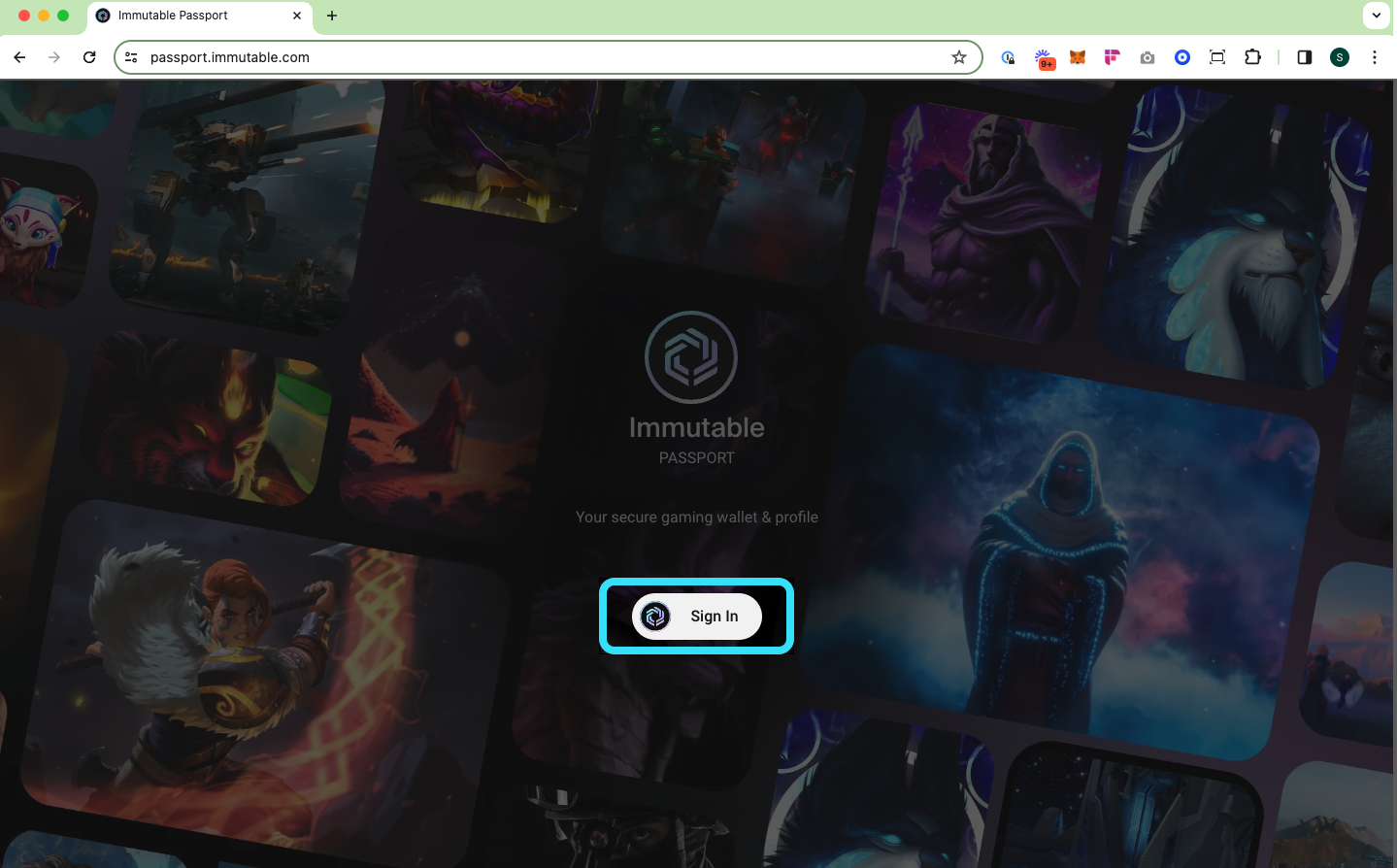
Immutable Passport sign in screen

Step 2: Link MetaMask Wallet

Link your MetaMask wallet to your Immutable Passport and select “Import items to Passport”.
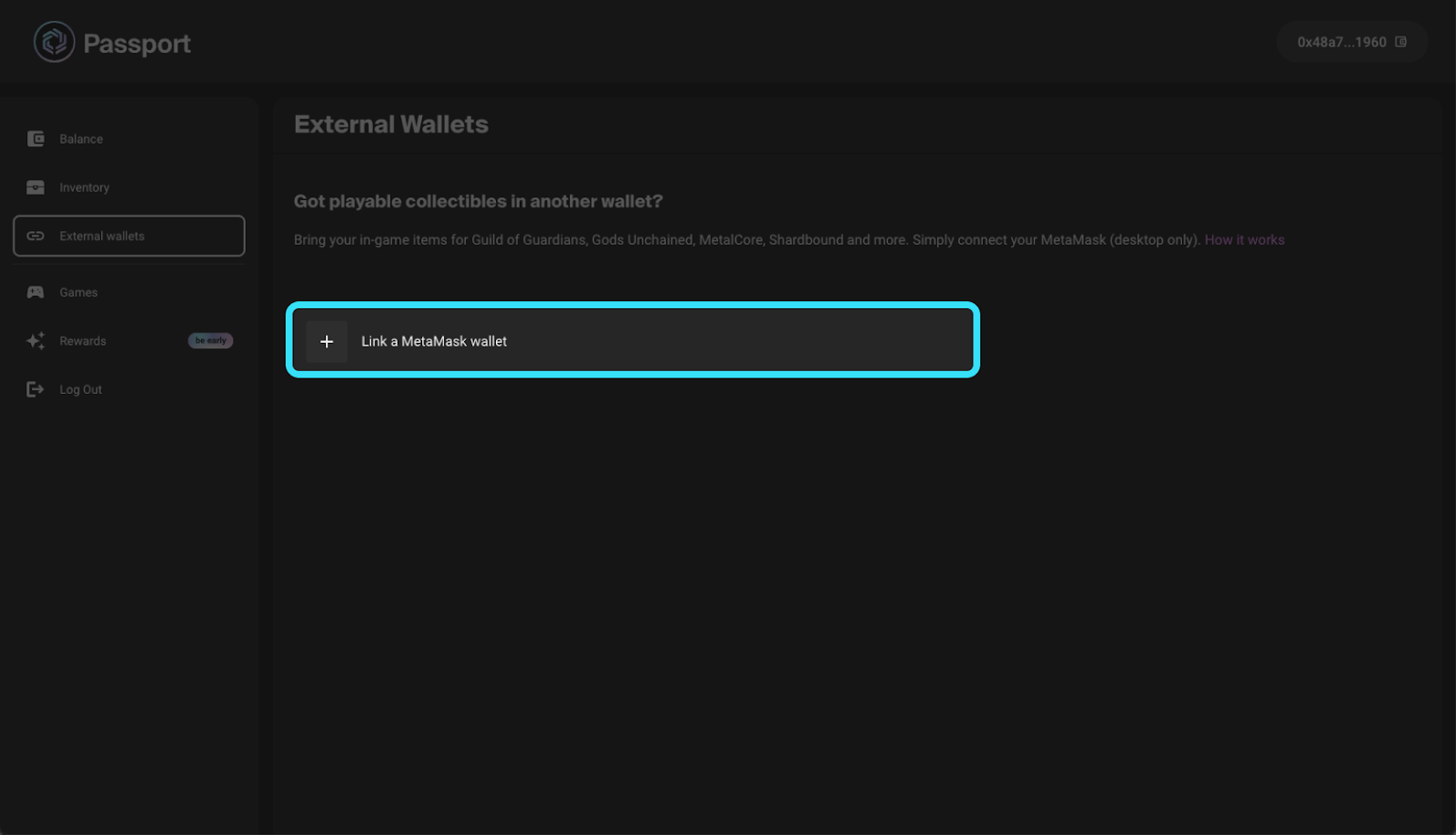
Screen grab showing 'Link a MetaMask wallet'

Step 3: Select NFTs for Import

After linking, your inventory will automatically pop up. Choose the collection and specific items you wish to import.
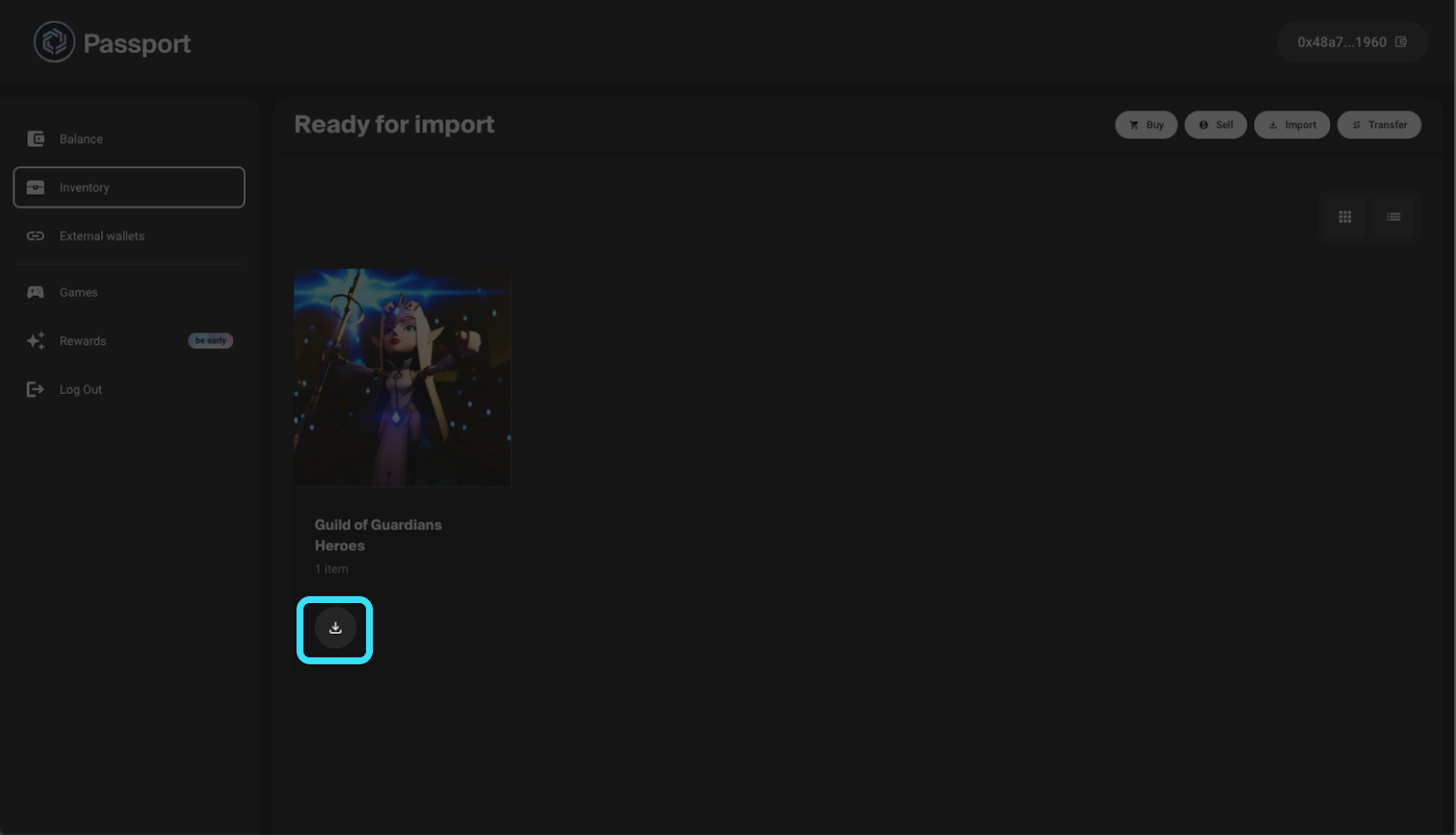
Selecting items for import

Step 4: Confirm the Import

Select ‘Import item’ and sign the transaction in your wallet. Make sure you have enough $IMX for the gas fees.
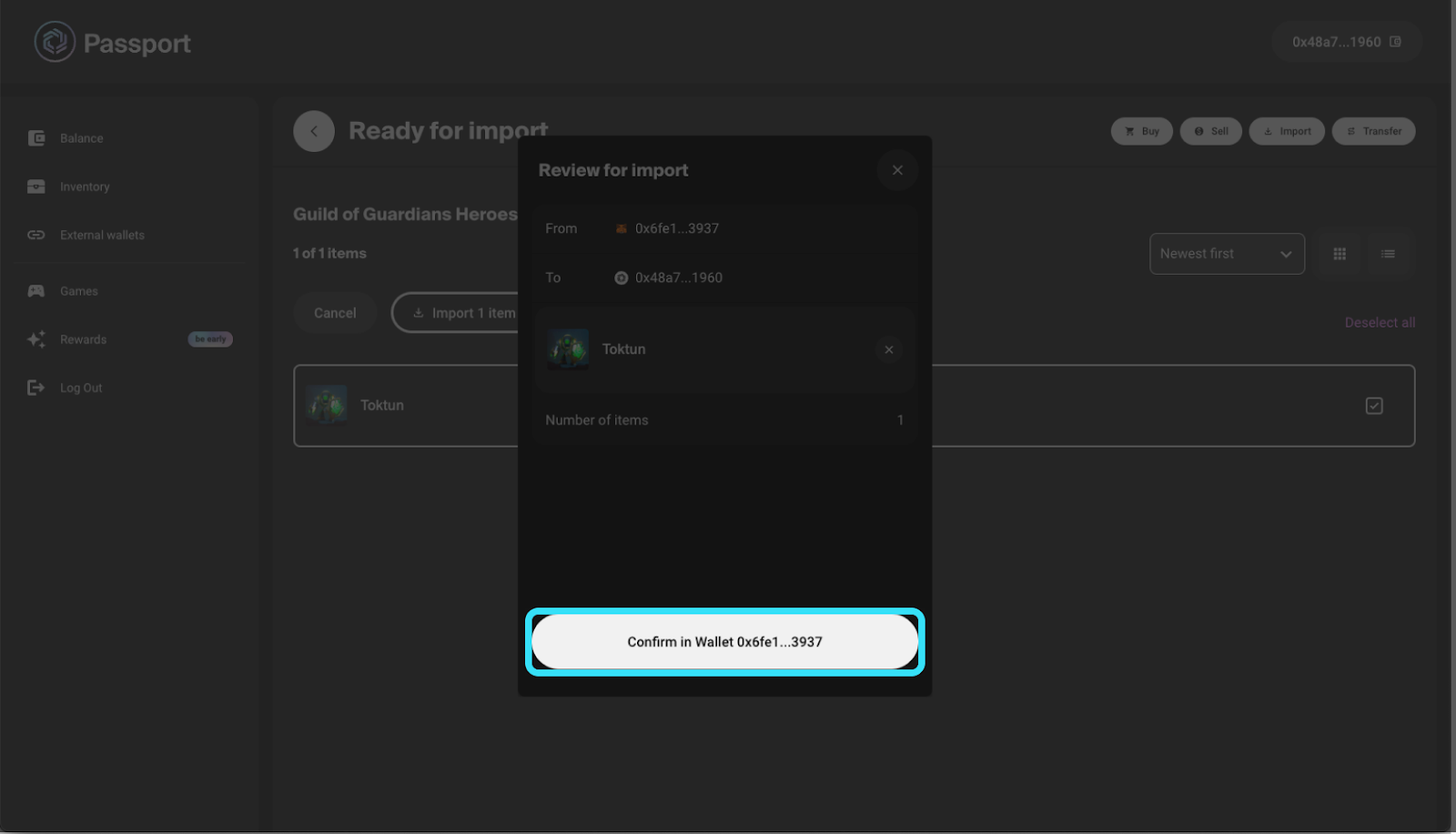
Transaction confirmation

Once the transaction is confirmed, your NFTs will be successfully transferred to your Immutable Passport.
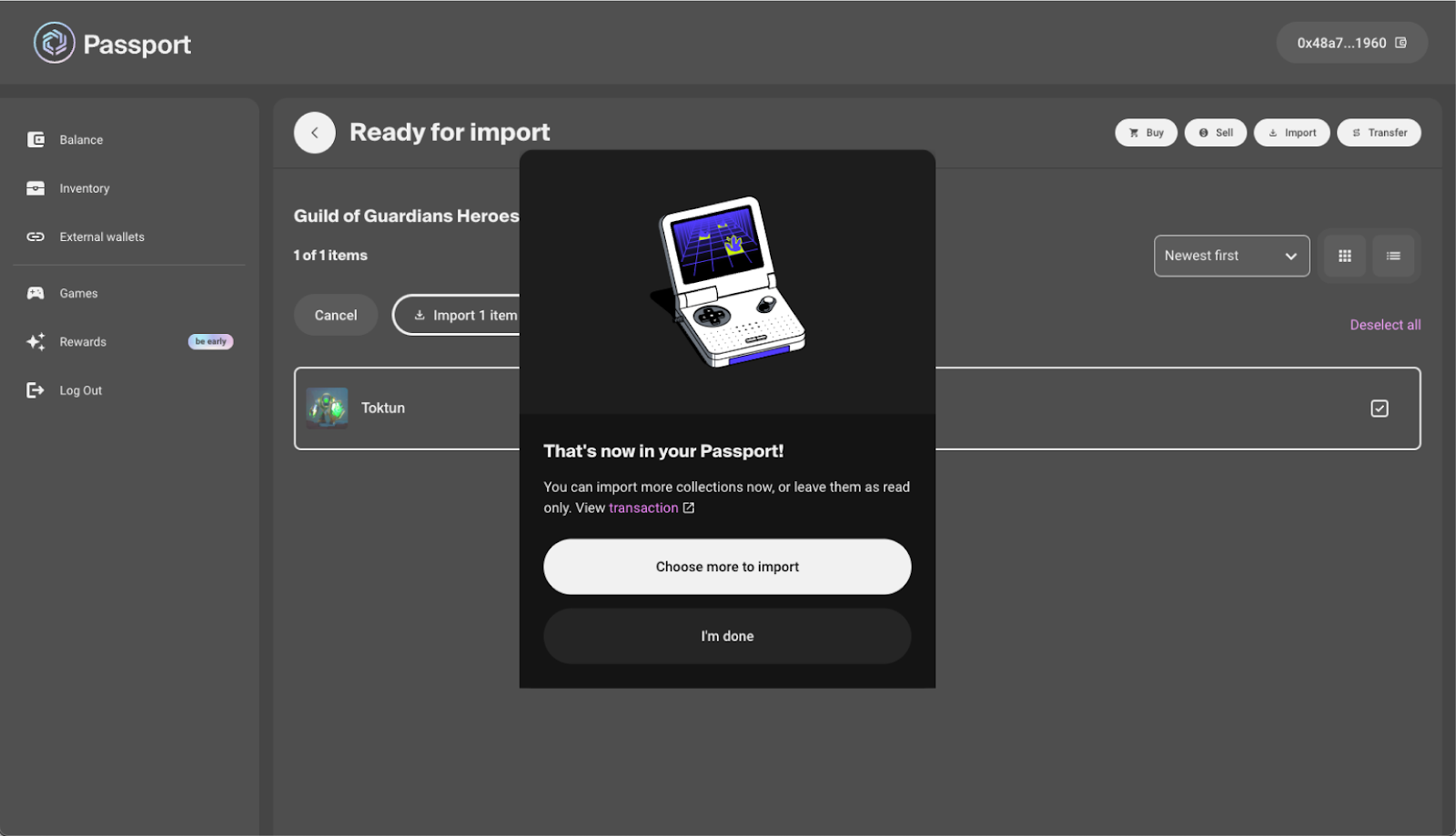
Success screen

Ensuring a Smooth Transfer

To ensure a seamless experience, verify that all prerequisites are met, and follow the steps carefully. For additional guidance on obtaining $IMX tokens for gas fees, refer to the official tutorial provided by Immutable.

Image source: Shutterstock

. . .

Tags


Credit: Source link

Share. Facebook Twitter Pinterest LinkedIn Tumblr Email

Related Posts

AAVE Price Prediction: Momentum Has Gone Flatline — $91.51 Is the Only Number That Matters

July 5, 2026

LDO Price Prediction: $0.28 Is the Line in the Sand — Break It or Bleed Back to $0.25

July 5, 2026

HBAR Price Prediction: Coiling at $0.07 — Smart Money Is Loading Before the Break

July 5, 2026
Leave A Reply Cancel Reply

What's New Here!

Securitize Becomes Largest Tokenized Stock as Sector Transfer Volume Hits $8.47 Billion

July 5, 2026

Top Analyst Reveals What’s Next For Bitcoin, Ethereum and XRP Prices

July 5, 2026

XRP, Dogecoin and Bitcoin All Recovered; Crypto CEO Explains Why That Is Important

July 5, 2026

Bitcoin Transactions per Day Rebound in 2026, Reaching Third-Busiest Day Ever

July 5, 2026
AsiaTokenFund
Facebook X (Twitter) LinkedIn YouTube
  • Home
  • Crypto News
    • Bitcoin
    • Altcoin
  • Web3
    • Blockchain
  • Trading
  • Regulations
    • Scams
  • Submit Article
  • Contact Us
  • Terms of Use
    • Privacy Policy
    • DMCA
© 2026 asiatokenfund.com - All Rights Reserved!

Type above and press Enter to search. Press Esc to cancel.

Ad Blocker Enabled!
Ad Blocker Enabled!
Our website is made possible by displaying online advertisements to our visitors. Please support us by disabling your Ad Blocker.